

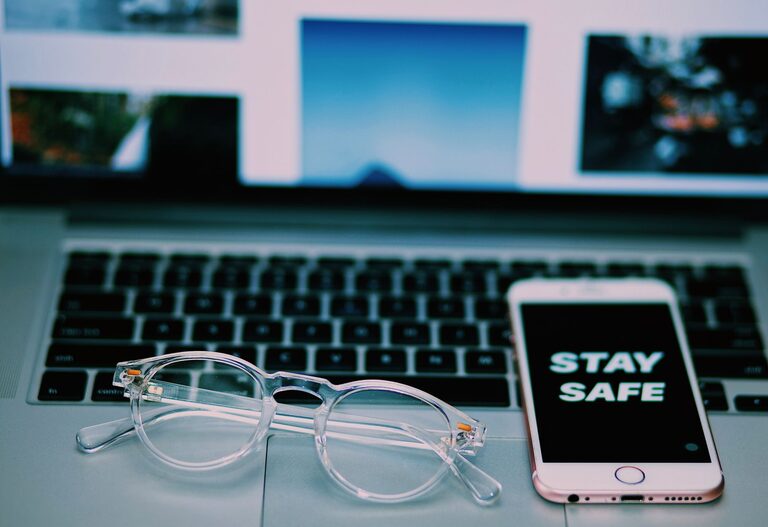
Keeping your phone and keyboard clean is essential for both hygiene and the longevity of your devices. These gadgets accompany us throughout the day, accumulating dirt, oils, and germs. However, cleaning them improperly can cause damage or void warranties. This guide will walk you through safe, practical ways to clean your phone and keyboard effectively.
Why Cleaning Your Devices Matters
Phones and keyboards often harbor more bacteria than many other surfaces because of frequent handling. Regular cleaning helps:
– Reduce germs and allergens
– Improve device appearance
– Prevent sticky keys or buttons
– Extend device lifespan
Now, let’s look at how to clean each device safely.
How to Clean Your Phone Safely
Modern smartphones have sensitive screens and delicate components, so it’s important to follow guidelines when cleaning.
What You’ll Need
– Microfiber cloth (soft, lint-free)
– Distilled water
– Isopropyl alcohol (70% or less) or pre-moistened electronic cleaning wipes
– Cotton swabs
– Compressed air (optional)
Step-by-Step Cleaning Process
- **Turn Off and Unplug Your Phone**
To avoid short circuits or damage, always power down your phone and disconnect any cables.
- **Remove the Case**
Take off the phone case to clean both the device and the case separately.
- **Wipe Down the Exterior**
Lightly dampen a microfiber cloth with a mixture of equal parts distilled water and isopropyl alcohol. Gently wipe the front, back, and sides. Avoid spraying liquids directly on the phone.
- **Clean Ports and Openings**
Use compressed air or a dry cotton swab to remove dust from charging ports, headphone jacks, and speaker grills.
- **Disinfect with Care**
Using a slightly dampened cloth with 70% isopropyl alcohol can help disinfect the surface. Do not use bleach or household cleaners.
- **Dry and Reassemble**
Allow your phone to air dry completely before replacing the case and turning it back on.
Tips for Specific Phone Types
– Touchscreens: Avoid abrasive materials to keep the protective coating intact.
– Water-Resistant Phones: Even if your phone is water-resistant, avoid submerging it or using excessive liquid.
– Phone Cases: Follow cleaning instructions for your case material, whether silicone, leather, or plastic.
How to Clean Your Keyboard Safely
Keyboards collect dust, food particles, and germs, affecting typing performance and cleanliness.
What You’ll Need
– Microfiber cloth
– Isopropyl alcohol (70%) or disinfectant wipes safe for electronics
– Compressed air can
– Soft brush or cotton swabs
– Mild soap and water (for detachable keys)
Step-by-Step Cleaning Process
- **Unplug or Power Off**
Disconnect your keyboard from the computer or power source.
- **Shake Out Debris**
Turn the keyboard upside down and gently shake to dislodge loose crumbs and dust.
- **Use Compressed Air**
Blow compressed air between the keys to remove stubborn dust and particles. Hold the can upright to avoid spraying liquid propellant.
- **Wipe Down the Surface**
Lightly moisten a microfiber cloth with isopropyl alcohol or use disinfecting wipes. Wipe the tops of keys and keyboard surface carefully.
- **Clean Between Keys**
Use cotton swabs or a soft brush dampened with alcohol to clean between keys.
- **Deep Cleaning (Optional)**
For mechanical or detachable keyboards, remove keys following the manufacturer’s guidelines. Soak keycaps in warm soapy water, dry thoroughly before reattaching.
- **Dry and Reconnect**
Ensure the keyboard is dry before plugging it back in.
Important Keyboard Cleaning Tips
– Avoid pouring liquids directly onto the keyboard.
– Use only approved cleaning products safe for electronics.
– Be gentle to avoid dislodging or damaging keys.
General Cleaning Safety Tips for Electronics
– Always power down devices before cleaning.
– Avoid abrasive or highly acidic cleaners.
– Use minimal liquid to prevent damage.
– Test cleaning products on a small area if unsure.
– Clean regularly to maintain hygiene and device performance.
Conclusion
Maintaining clean phones and keyboards is a simple routine that can boost the lifespan of your devices while reducing germs. By using the right materials and following these safe techniques, you can keep your gadgets looking fresh and working smoothly. Remember, regular cleaning is better than intense scrubbing, so make it a part of your weekly routine!
Happy cleaning!